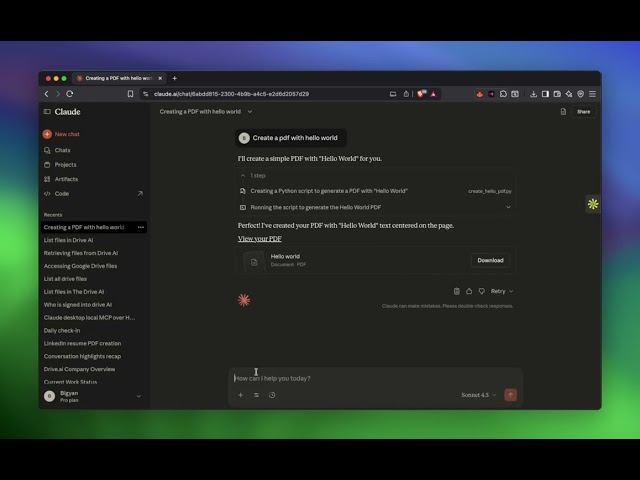
Connect Claude or ChatGPT with any account — The MCP server now signs you in with your The Drive AI account, whichever way it signs in: Google, Microsoft, Apple or email. On first use you see what the assistant may do and allow it. Settings → MCP lists everything connected as you, with a Disconnect for each. If you connected before today, connect once more.↗
Agents of their own — A CLI, a coding agent or a script can connect without a chat host: it registers as a client, signs in by an eight-letter code you approve on thedrive.ai, and asks only for the scopes it needs. An agent with no account can sign itself up and send you a claim link; until you claim it the account stays small and sealed, and it is erased after seven days if nobody does.↗
You approve, in The Drive AI — A change an agent wants to make as you waits in Settings → MCP under Waiting for you, with a notification, until you approve or decline it. Nothing happens until you say so. A chat host still asks in its own chat; you can switch either way per connection.
The assistant on your Mac, PC and NAS — Share a folder from the desktop app, or run a small helper on a NAS, and the assistant works in it the way it works in a connected drive: finds, reads, organises and files, with every change approved first. The files stay on the device. Per folder, choose whether it may read documents or see names and dates only, and whether everyone in the workspace sees it or only you.↗
Ask about any folder from Finder — Right-click a folder on your Mac and choose Quick Actions › Ask The Drive AI about this folder. The desktop app opens the assistant on that folder, catalogued on the spot.
Workflows on device folders — A workflow can watch a shared folder on a Mac, PC or NAS: a scan lands in the NAS's Scans folder, the workflow names and files it. Files that arrive while the device is off run when it reconnects. The assistant can build one of these for you too.
Search by meaning in connected drives — The assistant now finds files in Google Drive, OneDrive, SharePoint and Dropbox by what they are about, not only by the words they contain, and points to the passage that matched.
Copies and moves between storages — Copy or move a file from one connected drive to another, or between a drive and a device folder, in one request.
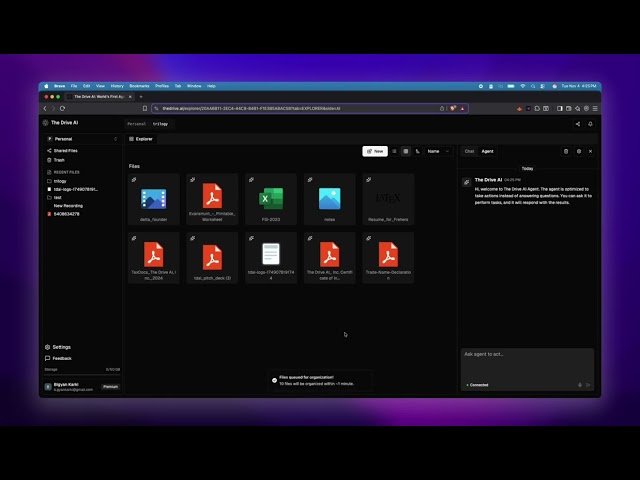
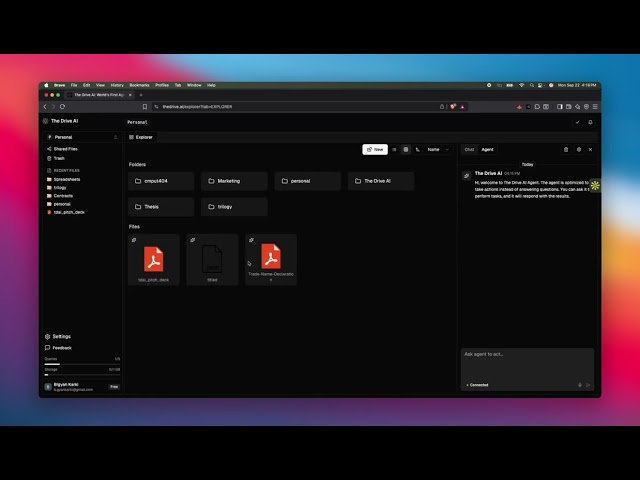
The assistant, rebuilt — The AI panel is now one assistant that acts on your files instead of only answering about them. Ask it to move, rename, create folders, share, request files, send for signature, or build a workflow. It shows its plan first, and you can undo a change in one click.↗
Works in your connected drives — On Max and Team plans, the assistant sees Google Drive, OneDrive, SharePoint libraries, and Dropbox, and changes files where they already live. Every change waits for your approval. Undo works where the drive allows it: deleted Dropbox files are restored from their last version, and work OneDrive or SharePoint trash is restored once your Microsoft 365 admin allows it. On every plan it works across your workspace files.
Approval cards — Before anything changes, a card lists each change on its own row and says the risk in a sentence. Approve, decline, or type a reply. The same card covers members, sharing, file requests, signatures, and workflows, and names the outside service when a connector would send data.
Several conversations at once — Keep several conversations open in tabs and switch instantly. A conversation that needs a decision, has a question, or has finished tells you with a dot, a toast, and a count on the Agent button, even while you work elsewhere. History is searchable.
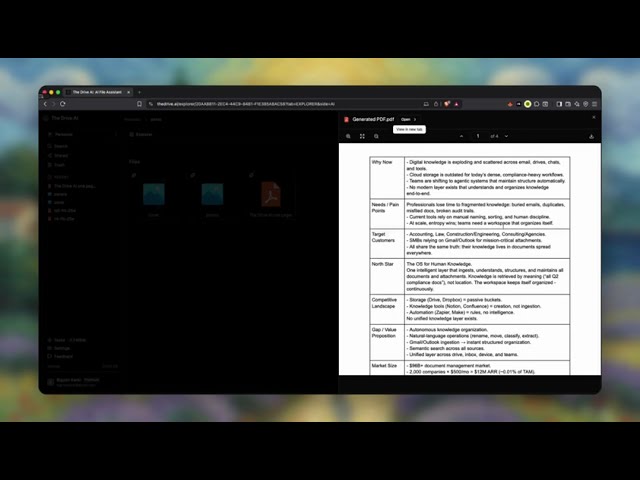
Files, charts, and diagrams in the chat — Files the assistant makes arrive as cards with a real preview. Save one to a folder, or save and download several together. Charts and diagrams are drawn in the conversation: hover to read values, pan and zoom a diagram, and copy or download the picture.
Workflows built in conversation — Describe a workflow to the assistant and its draft appears in the chat, read only, with the canvas one click away. Signature drafts open in Prepare the same way.
What the assistant remembers — Settings > Agent lists the notes every request starts with: the workspace’s, which admins manage, and your own. Open any note to edit or forget it. The tab also shows which connected storage the assistant can see, and lets admins add MCP servers so it can act in other services.
Assistant tasks on every plan — Each plan includes a number of assistant tasks a month, and chatting is free. The Usage tab, now open to everyone in the workspace, shows how many you have used and when they reset. Workflow AI steps are included in the plan.↗
Browser extension 1.2.0 — The side panel now runs the same assistant as the web app, with the same conversations, cards, and undo. It works on the tab beside it: it reads the platform, the account the page is signed in as, and the folder on screen, and tells you how sure it is. It remembers which account each drive site uses.↗
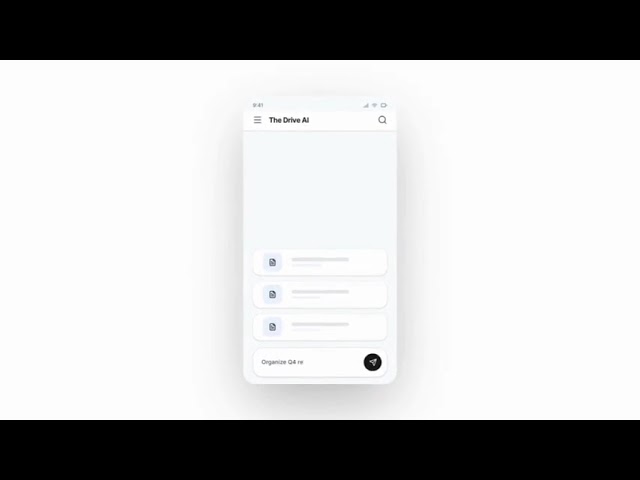
Mobile app 1.4.0 — The iOS and Android app now runs the new assistant: conversations listed like an inbox, approval and change cards with undo, files and charts in the chat, and workflows built or changed by asking. Push notifications reach you when a conversation needs a decision or finishes. Agent settings, what the assistant remembers, and task usage are on the phone too.↗
Notification settings — A new Settings > Notifications tab chooses which topics can raise browser alerts (Assistant, Workspace activity, Product news) and which emails you get: the missed-activity digest and product news.
Smaller improvements — Connected drives are grouped by platform and site and browse like the workspace explorer. Owners can transfer ownership from Members. Files open in the same viewer on web, phone, and the extension.
Pause billing — Pause a workspace for the off-season instead of archiving it. It goes read only, nothing is deleted or charged, and Resume billing brings it back in one click.
Seats on the billing tab — Owners can add and remove seats from Settings > Billing, and unused seats are shown there. Removing a member frees their seat for someone else.
Clearer billing states — A failed payment warns instead of locking the workspace, a cancelled plan says when it ends, and a read-only workspace names the one step that restores it.
Export workspace — Download everything in a workspace as one zip, from the Danger Zone in settings or from the read-only banner.
Workflow activity names the workflow — Activity rows made by a workflow say which workflow made them, and show both ends of a move or rename.
Workflows — Describe a workflow in plain English and the canvas builds it. When a file arrives, check its details, ask AI about it, or ask a person to approve — then move, rename, merge, split, save a copy, send a message, or send it to another app. Files can come from Gmail, Outlook, Slack, Microsoft Teams, Google Drive, OneDrive, SharePoint, Dropbox, or The Drive AI, and cloud files are renamed and moved where they already live.↗
Workflow triggers — Start a workflow when a file is uploaded, when a file changes, on a schedule, when an email attachment arrives, or when a file is shared in a Slack or Microsoft Teams channel — one channel, several, or all of them.
Approvals — Put a person in the loop before anything moves. The workflow shows its plan, waits for a decision, and expires the request if nobody answers — three days by default. Every decision is kept with the name of who made it.
Watch a run happen — Replay any run step by step and see what each step actually did, follow one file across every workflow that touched it, and see what a run cost before you approve it. Failed runs can be retried.
SharePoint — Connect a SharePoint work account, browse sites by name, and pick the document library files are filed into. Available for import, export, and as a workflow source or destination.
Google Shared Drives — Shared Drives can now be browsed, imported from, and watched by workflows — including watching a whole drive.
Workspace connection roster — Settings shows every connected account in the workspace, who owns it, and how many workflows depend on it. Members can see what is connected; connecting, approving, and disconnecting stay with admins, as does authoring workflows.
Live workspace updates — Files and folders appear, move, and rename in place while you are looking at them — no refresh when a workflow or a teammate changes something.
Auto-organization is now Workflows — Auto-organization has been replaced by Workflows, which does the same filing and much more. Plans and billing now meter workflow files, with the ⌘+K "Organize this folder" command metered separately.
Browser Extension — AI-powered file management directly inside Google Drive, OneDrive, and Dropbox. Move, share, rename, organize, and create files using natural language — without leaving your cloud storage tab. Available on the Chrome Web Store.↗
Desktop App — Browse your workspace files, open them natively in your default apps, mark files for offline access, and sync local folders into your workspace. Available for macOS (Apple Silicon and Intel).↗
Multi-language Support — The Drive AI is now available in 6 languages: English, German, Spanish, French, Japanese, and Korean. The entire marketing site, navigation, and footer automatically adapt to your browser language.
E-Sign — Send any PDF for e-signature directly from your workspace. Supports multiple signers, sequential or parallel signing, 6 field types, auto-reminders, expiration dates, email verification, and a full audit trail with Certificate of Completion. ESIGN Act compliant.↗
E-Sign Templates — Save field layouts as reusable templates. Apply them to new documents in one click.
Signature Generator — Free tool to create and download a professional signature as a transparent PNG or SVG.↗
Add Page Numbers to PDF — Free tool to add page numbers to any PDF with live preview. Choose position, format, and starting number.↗
Cloud Storage Integrations — Import and export files from Google Drive, Dropbox, and OneDrive directly within your workspace.
Document Scanner (Mobile) — Scan documents with your phone camera. The scanned PDF is automatically uploaded and organized in your workspace.
Slack Integration — Connect Slack to your workspace. AI agents can send notes and organize files shared in Slack channels.
Microsoft Teams Integration — Connect Microsoft Teams to your workspace. Organize and manage files shared in Teams channels.
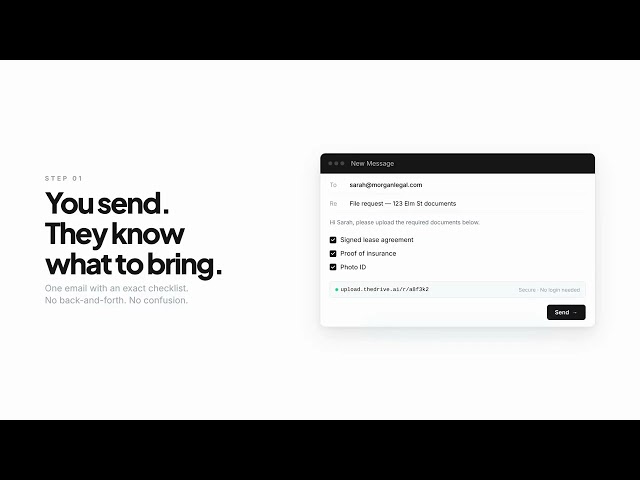
File Requests — Request files from anyone via a secure link. Uploaded files are automatically organized in your workspace.
Move To button — Quickly move files and folders to any location in your workspace.
Generate Powerpoints — AI agents can now generate PPTX presentations from a prompt.
12 Free PDF & Image Tools — Launched a suite of free browser-based tools — merge, split, compress, rotate, sign, watermark, convert, and more.↗
File & Image Previews — Thumbnails and previews now load instantly for images and documents in the file explorer.
Document Preview for Docs — Preview Word, Excel, and PowerPoint files directly in the browser without downloading.
Optimized File Uploads — Faster, more reliable uploads with support for folder uploads and better error handling.
Malware Scanning — Uploaded files are now scanned for malware before being stored.
iOS app — Introducing The Drive AI for iOS: Access your files and AI agents on the go with our new iOS app, now available on the App Store.↗
Support for Scanned PDFs — The Drive AI can now read and understand scanned PDFs using OCR technology, making it easier to work with image-based documents.
Block Email/Domains from Email Integration — You can now block specific email addresses or entire domains from Email Integration. This gives you more control over which emails are uploaded and organized in The Drive AI.
Onboarding Flow — New guided onboarding with an interactive demo to help you get started faster.
Historical Email Sync — Sync past email attachments from Gmail and Outlook. AI labels and organizes historical files automatically.
Streaming Agent Responses — AI agent responses now stream in real-time for a faster, more responsive experience.
Android app — Introducing The Drive AI for Android: Access your files and AI agents on the go with our new Android app, now available on the Google Play Store.↗
Connect multiple Emails — You can now connect multiple accounts in Gmail and Outlook integrations in Team Workspace, and the AI agents can read and organize files from all connected accounts.
Vision Model support for AI agents — AI agents can now see and understand images. You can ask the agent to analyze images, find specific information within images, and even perform actions based on the content of the images.
Verified Microsoft Partners — Now a Microsoft Verified Partner for secure, compliant Outlook Integration
CASA Certified — CASA certified - meeting the highest standards for secure document management
Improved auto-organization agent — Auto Organization can now automatically rename files, or follow instruciton on how to rename files
Split, merge, and fill PDFs with AI agents — You can now split, merge, and fill PDFs with AI agents. Just tell the agent what you want, and it will do it for you.
Run agents in parallel — You can now run multiple file agents on multiple files/folders, and chat with them simultaneously. And, you can manage all your running agents from the Tasks section.
Create complex files with AI agents — Create complex files like PDFs, Docx, Excel, Charts, and PPTX with AI agents. Just tell the agent what you want, and it will create the file for you.
Persistant Agent Sessions — File agents can wait for user input, and session chats are stored.
Improved Chat Mode — Chat Mode is upgraded to support updated models, and can do deeper searches and have longer context.
Persistent AI Agent connections — You can view and manage running tasks within Tasks section.
Outlook Integration for Auto-organization
Custom auto-organization settings — You can now turn off default auto-organization, and provide custom instructions for auto-organization from Settings.
Keyboard shortcuts — Cmd+K (Ctrl+K on Windows) to organize files within folder.
Introduced auto-organization — Drag and drop files into the root directory, and the AI reads the file, understands the context, builds folder hierarchy, and moves it into the right folder — existing or new one.↗
Gmail integration — Every email attachment gets uploaded and automatically organized in The Drive AI.
Release of workspace — Personal and team workspace support.
Introduced team plan
Increased storage for all plans
Single billing account and team management for team plan
Improved file agents to create multiple file types
Release of file agents — Create, share and organize files with AI agents.
Released agentic file explorer — Works with local files.↗
Video support — AI transcript and AI generated notes for videos.
Improved editor — Attach files within editor and preview files. Support for Math blocks.
Download support for editor filetypes — Export in Markdown, PDF or TXT.
Bug fixes in editor — Support for YouTube videos.
Audio support — Free transcripts and AI generated notes.
Record feature within the platform
UI overhaul
Attach files in team chat
Download support for all file types
Support for 10 different AI models
Faster actions — File actions like upload, delete, index and unindex are blazing fast.
Optimized search — Search has been optimized for increased accuracy.
Real-time notifications — Notifications are now live for invitations, mentions, and replies.
@all tag — Share files within the chat using # and mention specific individuals with @ tags or all users with @all tag.
PDF highlights — Highlighting PDFs is now possible, making note and highlight management easier.
New UI for shared files
Affiliate platform — Introduced an affiliate marketing platform.↗
Faster file uploads — File uploads and indexing are blazing fast.
Optimized search — Search has been optimized for increased accuracy.
Real-time notifications — Notifications are now live for invitations, mentions, and replies.
PDF highlights — Highlighting PDFs is now possible, making note and highlight management easier.
New UI for shared files
Mentions and File Tags — Mention your team members and share/tag files in the chat.
Notifications enabled — Notification now has a permanent space in the toolbar, showing notifications for mentions, chat replies, and invitations.
Reactions — You can now react to chats!
Fresh UI — We've refreshed the user interface.
Invitation-Only File Sharing — Beyond just publishing files, you can now invite your team members for collaborative work on documents.
Collaboration — The editor and notes sections now support collaborative editing.
Group Chat — Engage in conversations with your teammates within any file, folder, or project.
Persistent History — AI chat along with team chat history will now be persistent.
Notes — Notes are added to each item, making it more convenient to jot down thoughts and discuss them with your team.
Editor Blocks — Embedding files with '#', mentioning teammates with '@', using slash commands, and accessing shortcuts via a fixed toolbar.
Autocomplete — To help overcome writer's block, autocomplete is now a default feature.
Customizable AI Assistant — Personalize the AI assistant's tone, name, and introductory messages for each file or folder.
Customizable Contexts — Tailor the AI assistant's response contexts to your specific needs.
Index support — Editor contents are now indexed.
Side Panel in Editor — Brainstorm ideas with an AI assistant in the editor side panel.
Faster AI responses — AI responses are now streamed and faster.
Assistant in publicly shared files — Assistant is enabled automatically in shared files. A user has to be logged in to use the AI assistant.
AI assistant in public profiles — Users can enable or disable assistants on their profile page. They can also set the tone of the message and add hidden information.
Google Drive Integration — Users can import and sync files from Google Drive.
Date Me Docs — Users can optionally show their profile at thedrive.ai/date.
Public Pages — Users now have a unique username and a public URL page that routes to a user-selected file.
Editor blocks — Callout, Toggle List, and Link Embed blocks are now accessible in the editor.
Improved search — Our search is now better, offering precise answers with in-text citations from your documents.
Multiple sign-in options — Log in using Google, Microsoft, Github, or just your email.
API for developers — We opened some API routes to developers. (No longer available as of Nov 2025)
Global search — Use ⌘+K in The Drive AI explorer to search all documents in your knowledge base.
Import markdown files — Uploaded markdown files are automatically opened in the editor, making it easy to import files from Notion, Evernote, and Obsidian.
Editor features — Add images, videos, or embed from Unsplash and YouTube directly in the editor.
Pricing plans — New pricing options. Use for free or explore paid plans starting at $4.99.↗
Upgraded editor — Access to a broader range of editing tools, supports markdown commands.
AI Assistant — Toggle contexts, defaults to all files in the folder, and includes suggestions.
Improved search and querying capabilities
Introduced premium service
Publish files — You can now publish your files to the world.